
Sanilac County Court Calendars Explained
Sanilac County points the public to the "Sanilac Courts Hearing Docket." It is a MiCOURT display of daily hearing information. Each row can list the date, time, room, case number, and hearing type. Some layouts add a court traffic number or a link to a virtual courtroom. The display is a locating tool and nothing more. It is not a full Register of Actions. It cannot prove an event happened or how it ended. The wider MiCOURT Calendar search offers filters for date range, hearing officer, and location. Know which court you likely need before reading rows. Circuit, district, and probate matters travel on separate record paths. Recheck any date close to the hearing itself. Adjournments, room changes, and access limits can turn an older docket result stale.
Note: A calendar is a current scheduling tool, while the Register of Actions is the court's chronological record of case events.
Sanilac County Hearing Docket by Date
For a day-by-day look at Sanilac County court dates, the Sanilac public hearing display is the place to begin. Pull up the current date first. From there, step through the date controls. Open the docket view. Scan the rows that match, since each row can give you a case number, the date and time, a room, and hearing details. Write those down. But leave party names and CTNs out of your notes just because a calendar screen shows them.
The MiCOURT public display is the general version of that same calendar tool. It lays out the controls you use to search a court docket by date.
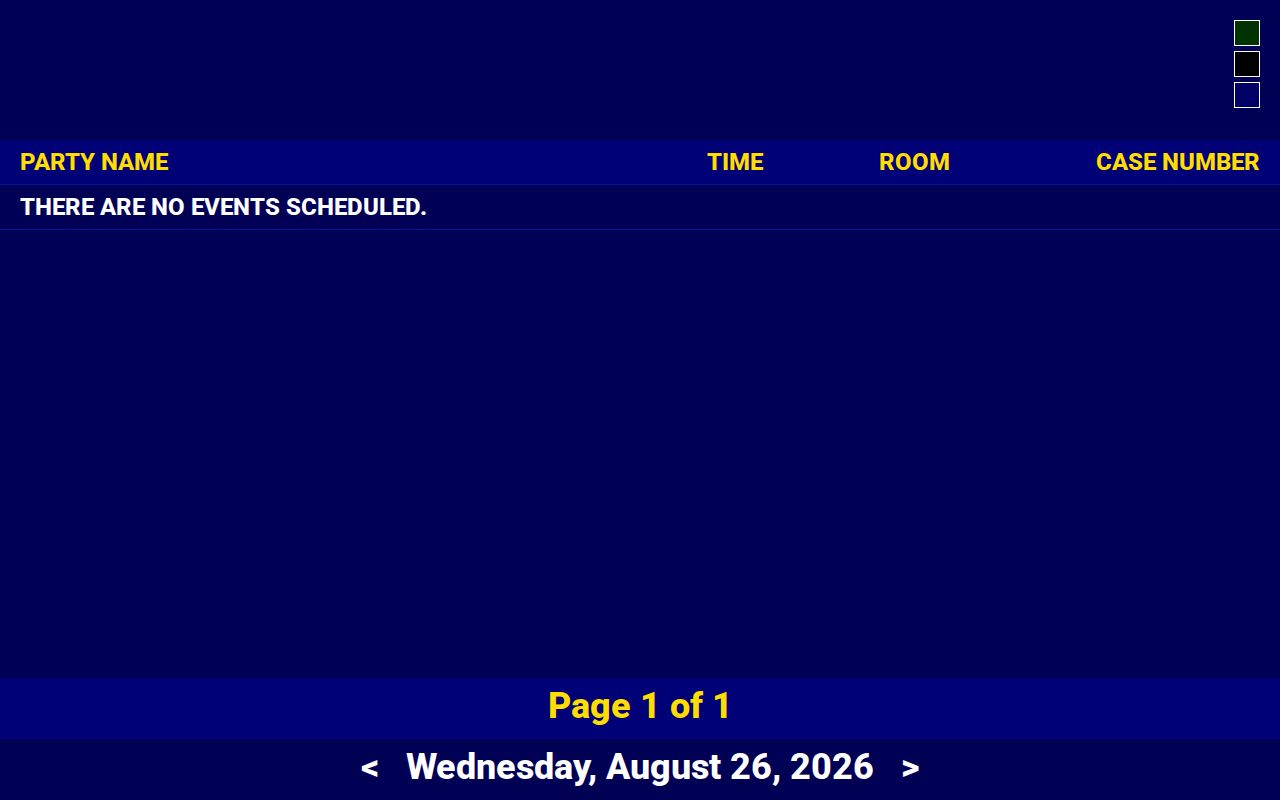
The picture shows the calendar interface only. It says nothing about the status of any Sanilac County case. For a current setting, rely on the live display or the clerk. If the display shows no rows or will not load, try a current browser with JavaScript enabled, then fall back on the clerk or the courthouse public-access route. A technical failure is not a finding that a hearing or case does not exist.
Finding Your Court Date
Work the court date channels in order. The online hearing display covers the daily setting. MiCOURT Case Search can pull up an available public Register of Actions by court, name, or case number. That search may reveal the next setting. For older files, non-public settings, documents, or access questions, the clerk is the fallback. The courthouse counter and its public-access terminal are also documented options when remote access fails.
- Read the notice, citation, or prior court paper for the exact court and case or citation number.
- Check the Sanilac public hearing display for the needed date, time, room, and hearing information.
- Use MiCOURT Case Search to confirm the court, case type, and public Register of Actions entry.
- Call the responsible clerk if a current setting is missing, the display is unclear, or the case has access limits.
- Use the courthouse counter or public-access terminal when online access is unavailable, and ask the clerk about the current procedure.
Call the right court with your details ready. The 73A District Court public phone is 810-648-3250. The circuit court public phone is 810-648-2120. Neither can answer a calendar question accurately without the correct court and case information.
Sanilac County Court Calendar Fields
Read a calendar row field by field. The date and time mark the scheduled setting. The room and hearing type tell you where to go. They also signal what kind of court event to expect. The case number ties the row to the Register of Actions. A CTN, where one shows up, works as a court or traffic identifier. It should not be republished. The official guide also covers hearing officer and hearing location filters for broader docket searches.
- Hearing information
- The event label, such as arraignment, motion hearing, review, conference, trial, or probate hearing.
- Hearing officer
- A calendar filter or displayed court official associated with the scheduled event.
- Hearing location
- A calendar filter or location field that can be required for some longer date ranges.
- CTN
- A court or traffic identifier shown in some layouts; it is not a reason to publish a person's record details.
Note: A hearing label identifies the type of scheduled event, not a final ruling, admission, disposition, or public-access guarantee.
How to Read a Court Setting
A Sanilac County setting is one scheduled court event, nothing more. An arraignment is a first criminal appearance. A pretrial or conference is procedural. A motion hearing means the court will weigh a request; the result appears later in an order or ROA entry. A trial row does not prove a trial took place. Nor does a sentencing row prove a conviction from the calendar alone. Probate settings may involve estates, guardianships, or conservatorships, each with its own access rules.
| Date | The scheduled calendar day. It can change through an adjournment, reset, or cancellation. |
|---|---|
| Time | The listed start time for the hearing or docket call, subject to the court's current directions. |
| Room | The courtroom or room shown on the live display. Confirm a move before travel. |
| Judge or officer | The displayed judicial officer or calendar field associated with the setting. |
| Setting type | The scheduled event category, which must be checked against later ROA entries for outcome. |
The calendar's fields help with attendance and case tracking. That is their limit. They do not replace the court's order, transcript, or full public case history.
Sanilac County Court Calendar Boundaries
Pick the calendar and clerk by court, not by the word "hearing" alone. The 24th Circuit Court handles felonies, major civil matters, appeals from lower courts or agencies, and Family Division proceedings. The 73A District Court covers preliminary criminal matters, misdemeanors, traffic, district civil, small claims, and ordinance cases. Probate hearings run through a separate P76 stream.
| Court code | Calendar context | Records contact |
|---|---|---|
| C24 | Circuit, Family Division, felony, and qualifying civil matters | Sanilac County Clerk / 24th Circuit Court Clerk |
| D73A | District criminal, traffic, civil, small claims, and ordinance matters | 73A District Court Clerk |
| P76 | Estates, trusts, guardianships, conservatorships, and related probate matters | Sanilac County Probate Register |
One event can spawn more than one docket. A felony may open in D73A and move to C24 after bindover, and an appeal can later leave its own separate case trail.
Continuances, Resets, and Cancellations
Court dates in Sanilac County move. A continuance, reset, adjournment, or cancellation can shift a hearing with little warning, and the public display does not always catch the change right away. It may show the new setting, or it may lag the Register of Actions and leave information out entirely. So treat any copied date as provisional. Look for a later ROA entry or an official court notice, then check the live display shortly before the hearing is set to begin.
Room changes and remote sessions deserve the same care. A "LIVE NOW Visit our Virtual Courtroom" button on the display is just a navigation cue. It does not mean you are cleared to appear that way, since court authorization or a court-specific procedure may still govern remote participation. Trust the current county court page or a confirmation from the clerk over any link you saved earlier.
Sanilac County Court Date Resets
Think the setting moved? Compare the old notice with the current public hearing display and the public ROA first. Then call the clerk for the court that owns the case. Ask for the present date, time, room, and any instruction that controls appearance. Give the court code, the case number, and the old date. That matters most for a D73A traffic or criminal setting. A calendar row alone never tells you whether a citation was paid, contested, dismissed, or resolved some other way. A reset is a scheduling event. It is not a case result. The current ROA gives the safest record of the court action, backed by a clerk-confirmed copy or court order when required. The county's Case Lookup page can help you find an available public case history. Check it before you call the clerk.
Changed setting: Confirm the current court date with the responsible clerk when the display, notice, or Register of Actions does not agree.
If You Miss a Court Setting
Act quickly after a missed setting. Check the current public calendar and public ROA, then contact the responsible clerk. Ask what entry or order is active and what response is authorized. A missed appearance or failure-to-appear entry can carry legal and procedural consequences. Those depend on the case and on later court action. Never assume a payment, an old hearing notice, or a calendar screen fixes things. It will not make the problem go away.
Missed a setting? Contact the clerk for the court that holds the case as soon as possible and follow any court or attorney instruction that applies to the current matter.
For a D73A traffic matter, confirm the citation-specific date, plea or payment eligibility, and failure-to-appear status with the court. For any other case type, the circuit, district, or probate clerk can point you to the proper public records process.
Sanilac County Court Calendar Searches
The official Web Inquiry guide asks for a Hearing Date From and a Hearing Date To in mm/dd/yyyy format. Keep the span short. For a range longer than seven days and no more than 31 days, the live search can require a Hearing Location or Hearing Officer. It will not run until you enter one. Results sort by day or date, time, officer, and location. A narrow window works best as a first search. It cuts unrelated rows, because it makes an updated setting easy to spot.
Search fields and layout can change over time. Use the public display for a daily Sanilac docket. Use MiCOURT Case Search for the available case history. Then use the clerk or a courthouse terminal for any setting that cannot be confirmed online. The court offers no daily printed calendar route or reminder program. So plan on checking the docket yourself.
Note: Court calendar data is useful for locating a hearing, but direct clerk confirmation remains important when attendance, access, or timing is at stake.