
Searching Sanilac County Civil Dockets
MiCOURT Case Search is the statewide starting point for a Sanilac civil Register of Actions. Pick the court before typing a name. D73A is the countywide district court, covering civil matters within district jurisdiction plus small claims. C24, the 24th Circuit Court code, covers civil claims above $25,000. It also handles other circuit civil matters. P76 marks probate, a separate record stream. A case number with its year beats a broad name search, which often pulls in unrelated parties.
When only a party name is available, narrow it. Add a first name, organization, year, and case type if the interface allows. Before reading entries, confirm who is plaintiff or petitioner and who is defendant or respondent from the caption. A docket event may appear without its document. To inspect or copy a complaint, order, or judgment, ask the responsible clerk. Do that once the case is identified.
- Choose C24, D73A, or P76 based on the apparent case type and court jurisdiction.
- Enter the known case number and year, or narrow a name or organization query with available filters.
- Confirm the caption, party role, case type, court, and filing year in the matching result.
- Read the Register of Actions from filing through service, motions, settings, judgment, and closure.
- Contact the clerk for a public document, a certified copy, an older record, or access guidance.
Note: A party name can recur in many matters, so a case number and court selection are the best way to avoid reading the wrong civil docket.
Sanilac County Civil Docket Categories
Not every local dispute lands in one generic Sanilac County docket. Court division decides that. The 73A District Court takes district civil matters. Its docket also covers small claims and the categories in its SCAO report. The 24th Circuit Court takes civil claims above $25,000 and other circuit civil matters. Probate records cover estates, trusts, guardianships, and conservatorships. Family Division records sit behind their own privacy boundary.
| Record stream | Typical matter | Records contact |
|---|---|---|
| D73A civil docket | District civil, small claims, and summary categories | 73A District Court Clerk |
| C24 civil docket | Claims above $25,000, other circuit civil matters, and lower-court appeals | Sanilac County Clerk / 24th Circuit Court Clerk |
| P76 probate docket | Estates, trusts, guardianships, and conservatorships | Sanilac County Probate Register |
The statewide concurrent-jurisdiction arrangement coordinates these courts, but each keeps its own records. Search the court that actually received the filing, not just the one with the broadest case label.
Inside a Sanilac County Civil Docket
A civil Register of Actions is a timeline. The timeline can list the court and case number. It also covers type, filing date, parties and roles, claim or petition description, service, answer, counterclaim, motion, hearing, scheduling order, mediation, settlement, judgment, costs, garnishment, satisfaction, appeal, and closure. Every entry is procedural. None of them turns an allegation into a fact found by the court. Some filed documents and protected fields stay out of public view.
| Case number | A court-assigned identifier. Michigan search formats vary, including older patterns such as 00-000000-XX. |
|---|---|
| Caption and roles | The formal title and party positions, such as plaintiff, defendant, petitioner, or respondent. |
| Service and answer | Separate procedural entries showing notice and a response, when available. |
| Hearing or scheduling | A setting for court action, conference, motion, mediation, or trial. It is not the result itself. |
| Judgment or satisfaction | Distinct events that must be read with the order and later entries for context. |
A docket result can be public while its supporting document is not. That document may require courthouse inspection or a clerk copy request. The public ROA and the full case file are different layers of access.
Sanilac County Civil Docket Events
Read service, answer, judgment, and satisfaction as four separate events. Service shows how notice was delivered. An answer shows a party addressed the filing. A judgment is a court entry. A satisfaction is a later entry. It shows the judgment obligation was paid or released. A docket that records a judgment does not, by itself, establish the current state of payment.
- Default
- A procedural result when a party does not respond or appear under the applicable rules. The order supplies the needed detail.
- Garnishment
- A post-judgment collection process that may appear as its own entry and can require a document request for context.
- Satisfaction
- An entry showing a judgment obligation has been satisfied or released.
- ADR or mediation
- A dispute-resolution step that can appear in the case history before settlement, further hearing, or judgment.
Note: A dismissal, default, or judgment is a procedural disposition whose exact terms require the public order or a clerk-confirmed copy.
Civil Case Types on the Docket
The court and the civil category guide the search. D73A reporting recognizes general-civil, small-claims, and summary categories. Circuit civil cases can involve larger claims and appeals. Family and probate matters should stay out of a general civil result, since they carry distinct statutes, divisions, and access rules. The category screen and public case type let you choose a court without guessing from a party name.
- District general civil matters within D73A jurisdiction.
- Small claims matters using the Michigan simplified forms process.
- Summary cases reflected in the D73A reporting categories.
- Circuit civil claims above $25,000 and other circuit civil proceedings.
- Separate probate or Family Division proceedings with their own record boundaries.
A civil docket records the case's court events. It is not a statute, a court order, or confirmation from the clerk about what is open for inspection.
Sanilac County Civil Small Claims
MiCOURT small-claims forms collection is the official place to start. Learn the form sequence there. You will find claim, answer, and judgment materials. Motion, payment or satisfaction, garnishment, and claim-and-delivery materials appear too. These forms show the stages a small-claims record may reflect. They do not license assumptions about any specific Sanilac case. Monetary limits change. Rely on current state materials rather than an old fixed amount.
The official small-claims forms page lays out the procedural resources tied to a Sanilac County civil docket.
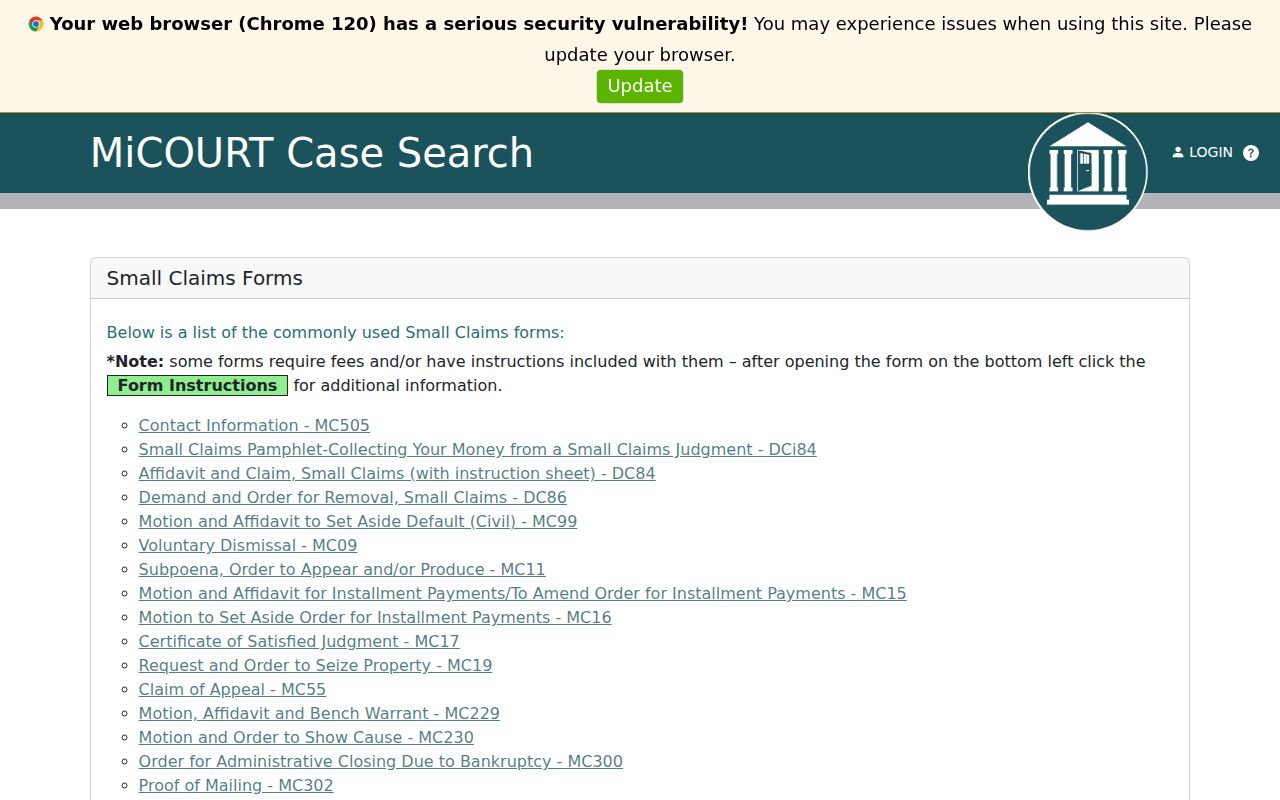
From here the forms trail connects to the public case history, where filings, responses, judgments, and later satisfaction entries show up as separate events.
Civil Docket Settings and Hearings
Civil settings vary: a hearing, scheduling conference, motion hearing, mediation, trial, or a post-judgment event. The calendar tells you when something is scheduled, not what the court decided. For the later order or judgment, read the public ROA. A scheduling order shapes the sequence. A reset or adjournment moves a date without dismissing the case.
Sanilac's public hearing display is handy. It gives a current date, time, room, case number, and hearing details. It does not replace the civil case history itself. Check the official display close to the hearing date. Confirm any changed setting with the responsible clerk.
Sanilac County Civil Docket Numbers
How busy was the Sanilac County civil docket in 2023? The D73A caseload report answers with raw counts. It lists 924 new general-civil filings, 123 small-claims filings, and 192 summary filings. Add beginning-pending matters, new filings, and reopened cases together. The total caseload reached 5,184 for the year. Those are aggregate categories for one year. They are not descriptions of individual cases, and not proof of what happened in any particular docket.
A court name, a year, and a plain number can carry a Sanilac County civil docket search far. A MiCOURT reference goes further. It lays out person, organization, and case-number search fields. It also adds filters for court and case category, which mirror how the state's case lookup tools are built. The official MiCOURT reference shows the search-field model a visitor can use to narrow a civil docket search.
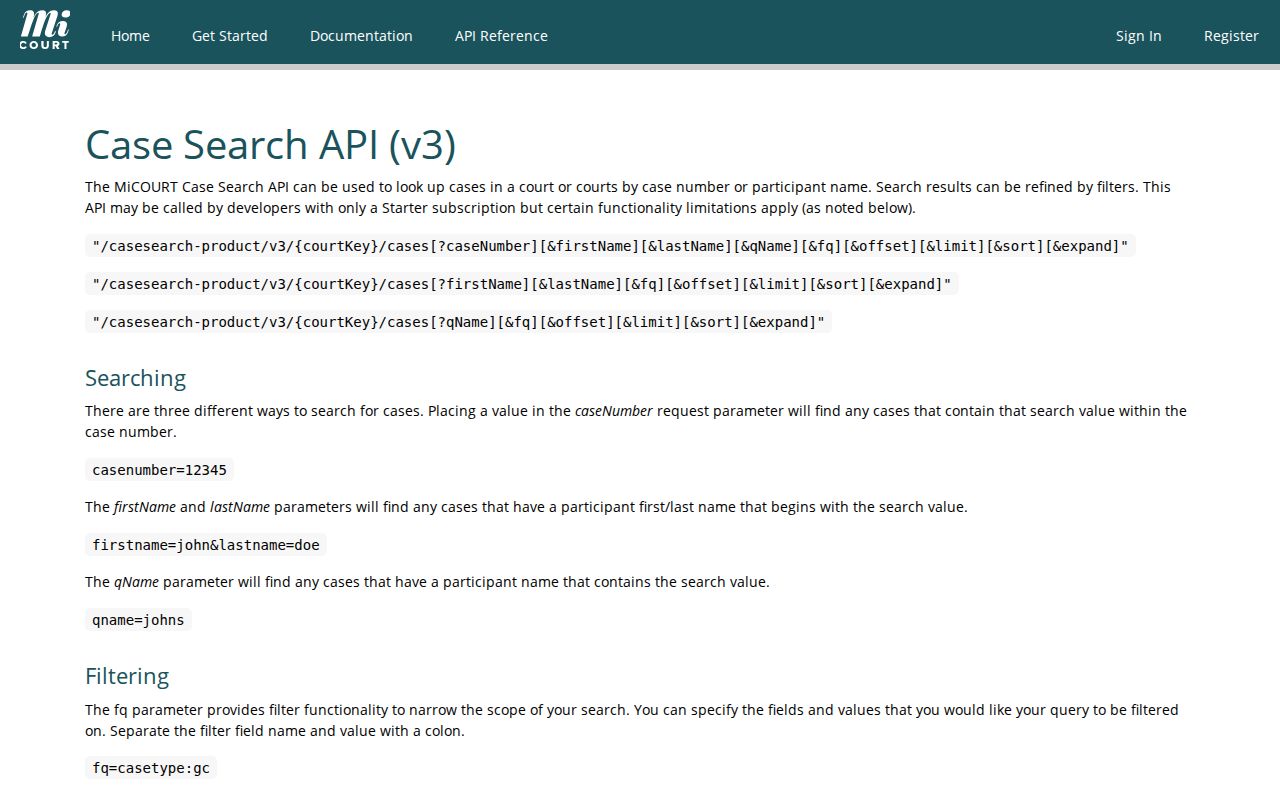
Court, name, year, type, and case-number filters do most of the work. Used carefully, they answer a question without any automated or bulk records request.
Civil Docket Access Rules
Michigan sets the ground rules for court records in MCR 8.119. Most case records are open to the public. A law, court rule, or court order can still block access to a particular file. Even an open file may not appear online in full. Some categories carry tighter limits. These include family, juvenile, adoption, mental-health, PPO, and certain probate matters. And a Sanilac County docket request is not a county FOIA request. The court clerk handles public record requests under its own procedure.
For how the state coordinates its local courts, the Michigan concurrent-jurisdiction order lays out that structure. Each court keeps its own records. Each sets its own access rules too.
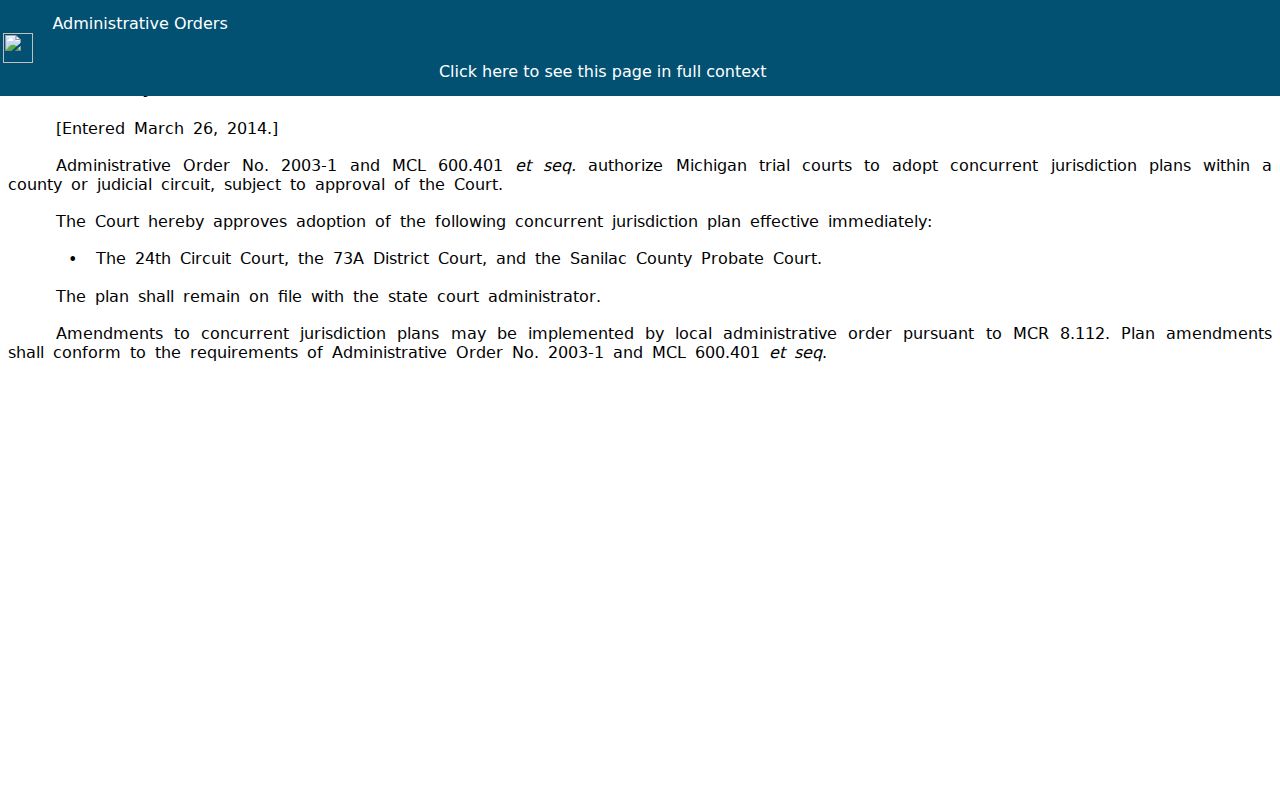
That order explains why court selection matters. Cooperation among local courts never merges their civil, probate, and Family Division case files into one public docket.
Public access point: Ask the responsible court for the rule or order that controls a restricted record and whether a public redacted version can be inspected or copied.
Sanilac County Civil Copy Requests
A copy request should name the court, the case number, the document, and the docket-entry date or number. Be plain about format, too. Say whether you want a plain copy or a certified one. Then ask the clerk about current fees, redactions, payment, delivery, and turnaround. The county posts no local per-page plain-copy amount. Statewide guidance sets certified copies at $1 per page plus a $10 certification charge. Confirm the total with the clerk before paying. Sanilac's online payment page lists a search PLC and a records or divorce PLC. Those PLC labels are payment routes, not fee schedules. Keep the request narrow. It is more likely to reach the right clerk and the right document. Once the court is known, the county's Case Lookup page can sharpen a name or case-number search. One caution first. If the case is probate or Family Division rather than civil, identify that record stream before sending the request to a clerk.
Note: A public docket entry can point to a document without making the document available online, so ask the clerk for the inspection or copy procedure.